Review demonstrated cadence
Commit shows completed backlog effort from recent team sprints, with a median and range. Adjust the target for time off and other demands.

STANDALONE AZURE BOARDS TOOL · IN PROGRESS
Use demonstrated cadence, Team Strength, and backlog order to set a sprint commitment. Then open Retrospective to share Start Doing, Stop Doing, and Keep Doing notes and track assigned actions through their results.
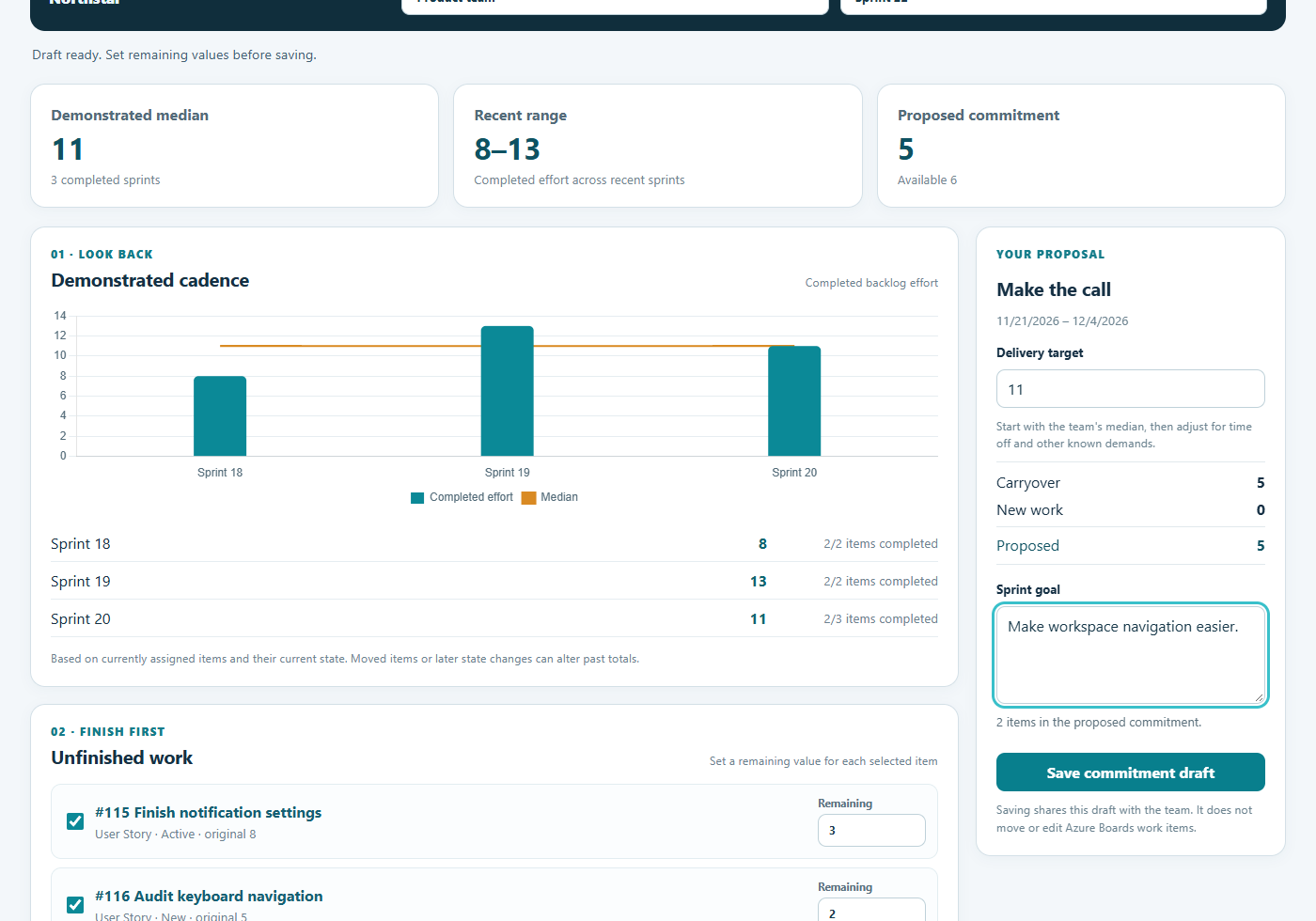
Product demonstrations use fictional data. The office and team scenes are illustrated, not product UI.
FROM HISTORY TO DECISION
Commit shows completed backlog effort from recent team sprints, with a median and range. Adjust the target for time off and other demands.
Choose unfinished items and enter the effort still needed. The proposed total uses that remaining value instead of counting the original estimate again.
Review items in the selected sprint or add a backlog item by ID. Record the sprint goal and save a team draft without moving or editing Azure Boards work items.
FIRST PASS
Commit is separate from Plan. The current release is a private Testing preview, not a public Marketplace offer. Live Retrospective is included. The live room sends change signals only; notes, actions, and final records stay in your Azure DevOps organization. If the room is unavailable, the board refreshes from Azure DevOps instead. The initial edition uses current Azure Boards work item assignments to summarize past sprints; it does not yet reconstruct historical snapshots or import Azure Boards capacity automatically.