From work items
To relationships and intent
Make dependencies and planning intent visible alongside the work your team already tracks.
Purpose-built planning software
For Azure DevOps teams, project managers, and delivery leads: see milestone slips before the next status deck, estimate uncertain work, and keep delivery visible.
Works in Azure DevOps Keep Azure Boards as your source of work. Add focused views without another spreadsheet or status deck.
Start with Better Editor, Dashboards, or Filter at $0. The six core products are free during the temporary launch phase; paid use afterward requires a separate approved order.
We’re building a focused alternative to expensive, heavyweight delivery software, right inside Azure DevOps.
Try it with your team and tell us what works and what needs work. We’ll give at least 30 days’ notice before the free launch ends, with a recommendation for the paid option that fits. Launch offer details · See how feedback works


Why Smaller Chunks?
Keep your projects, processes, and backlogs. Add focused views that help your team decide what to do next.
From work items
Make dependencies and planning intent visible alongside the work your team already tracks.
From delivery data
Turn Azure Boards data into focused views of progress, risk, and the conditions that need attention.
From execution
Connect planning, delivery, and release communication so everyone can see how the work serves the outcome.
Our products
Start with the job in front of you: shape milestones, estimate uncertainty, map dependencies, monitor delivery, coordinate action, or explain a release. Try a working demo, then install from the Azure DevOps Marketplace.
The Smaller Chunks product suite
Adopt one product where clarity is needed most, or connect all six as an Azure DevOps extension spanning planning, estimation, mapping, delivery intelligence, collaboration, and release communication.
Install Suite Tools
Product demonstration with fictional data; office and team scenes are illustrated.

Define value and shape the delivery plan.

Estimate effort and expose uncertainty.

See the story and what affects it.

Keep live delivery dashboards visible in a rotating, full-screen kiosk.

Close delivery gaps in one shared view.

Turn completed work into release notes.


App 01
Follow the Estimated schedule in a Gantt chart with ten release milestones and clear dependencies. Switch schedules when you need another view.
Plan value independently and ahead of delivery, then couple every chunk to its implementation work—regardless of project, team, process, or backlog structure.


App 02
Bring the facilitator, presenter, voters, and observers into one shared session with reveal, revote, timer, and objection controls.
Estimate required effort early so management can align capacity, skills, and people to the right teams before a gap threatens delivery.


App 03
Explore parent, child, dependency, and related links on a canvas where cards can be moved without changing the underlying Azure Boards relationships.
Map planning intent to existing Azure DevOps work items without forcing a new project, process, hierarchy, or backlog structure.


App 04 · Kiosk dashboards
Put your delivery dashboard on a full-screen kiosk display. Rotate through saved views automatically on a schedule, with editing controls out of the way.
Standard Azure DevOps dashboards do not rotate saved views in a dedicated kiosk mode. Monitor does, so teams can keep live delivery signals on wall displays and in standups.
App 05
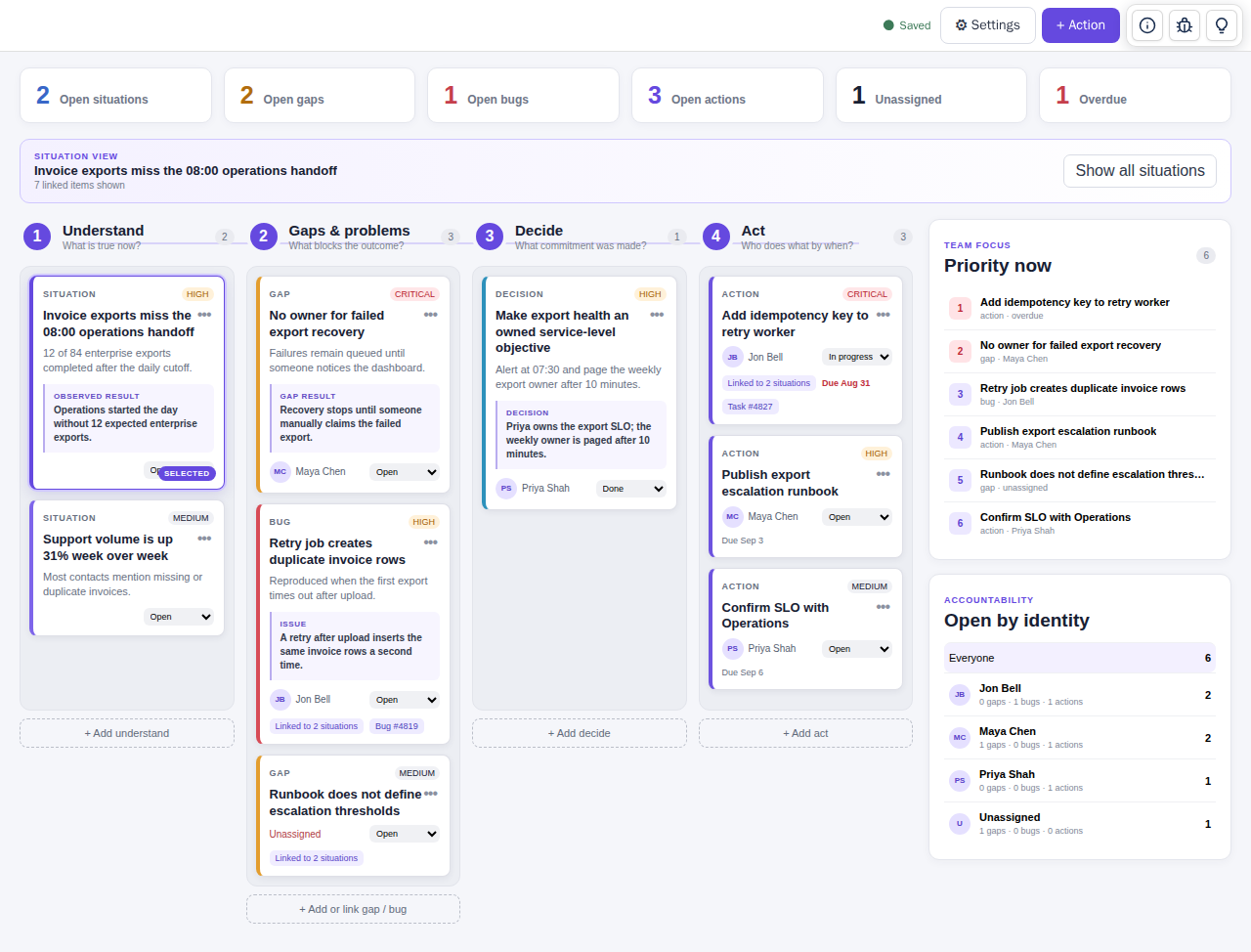
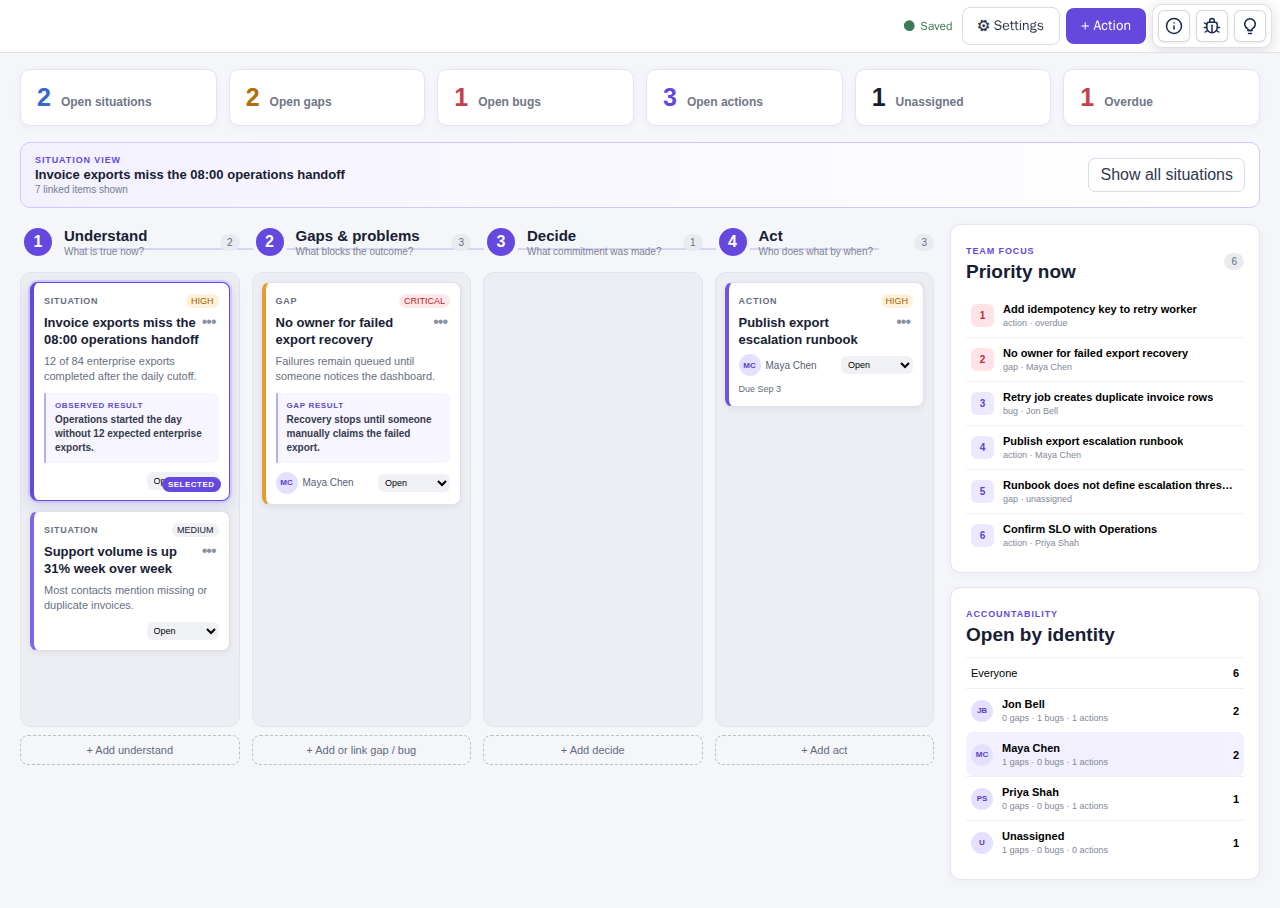
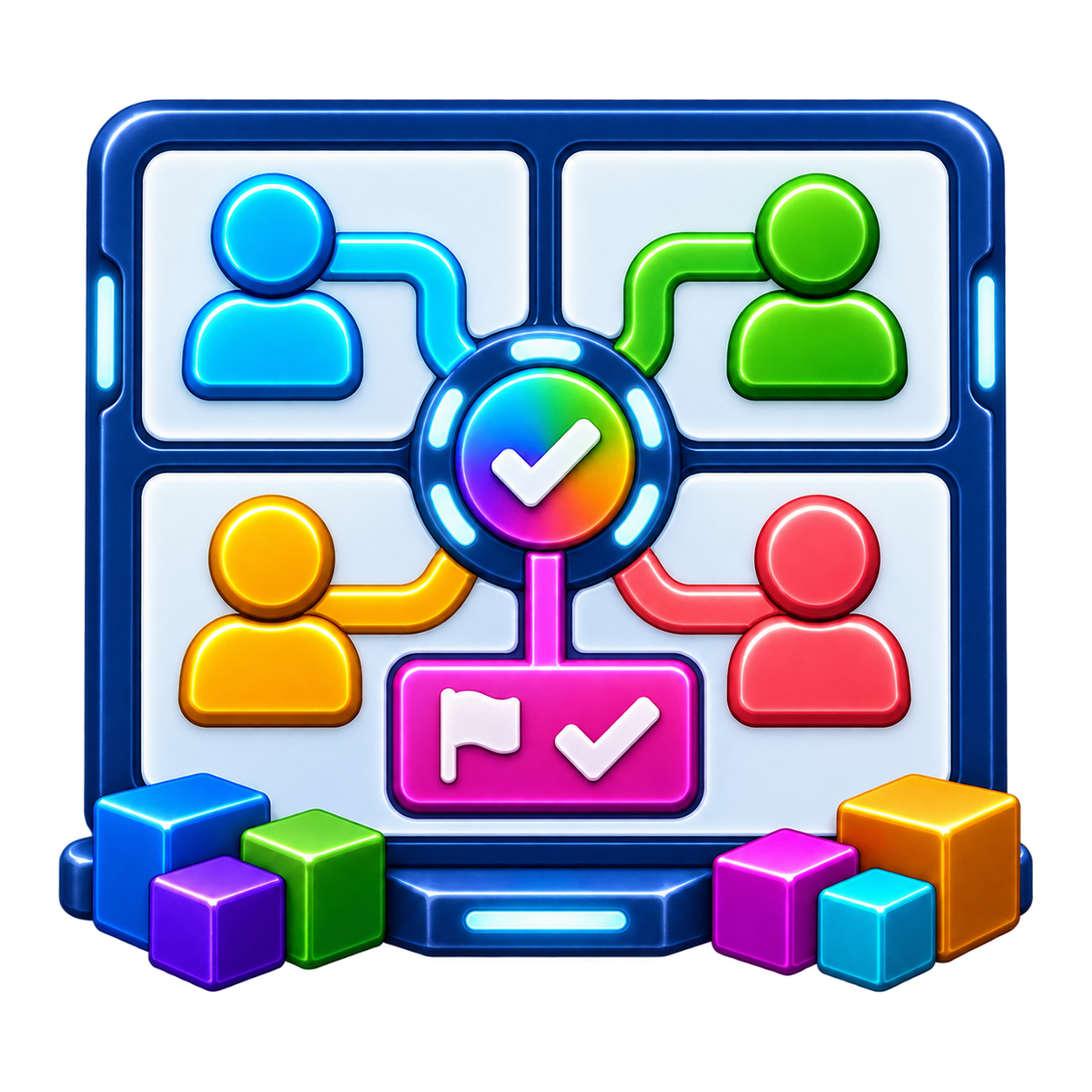
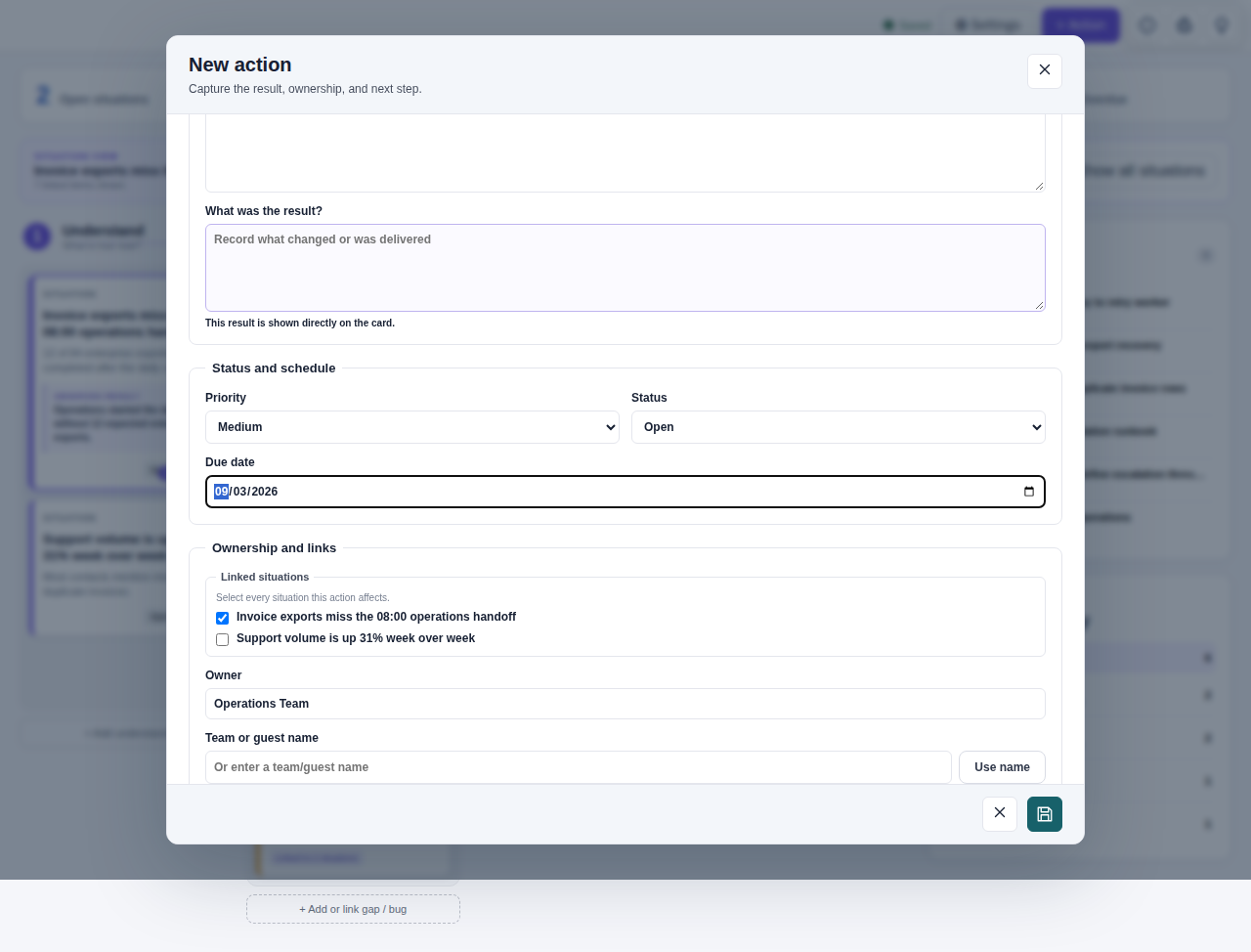
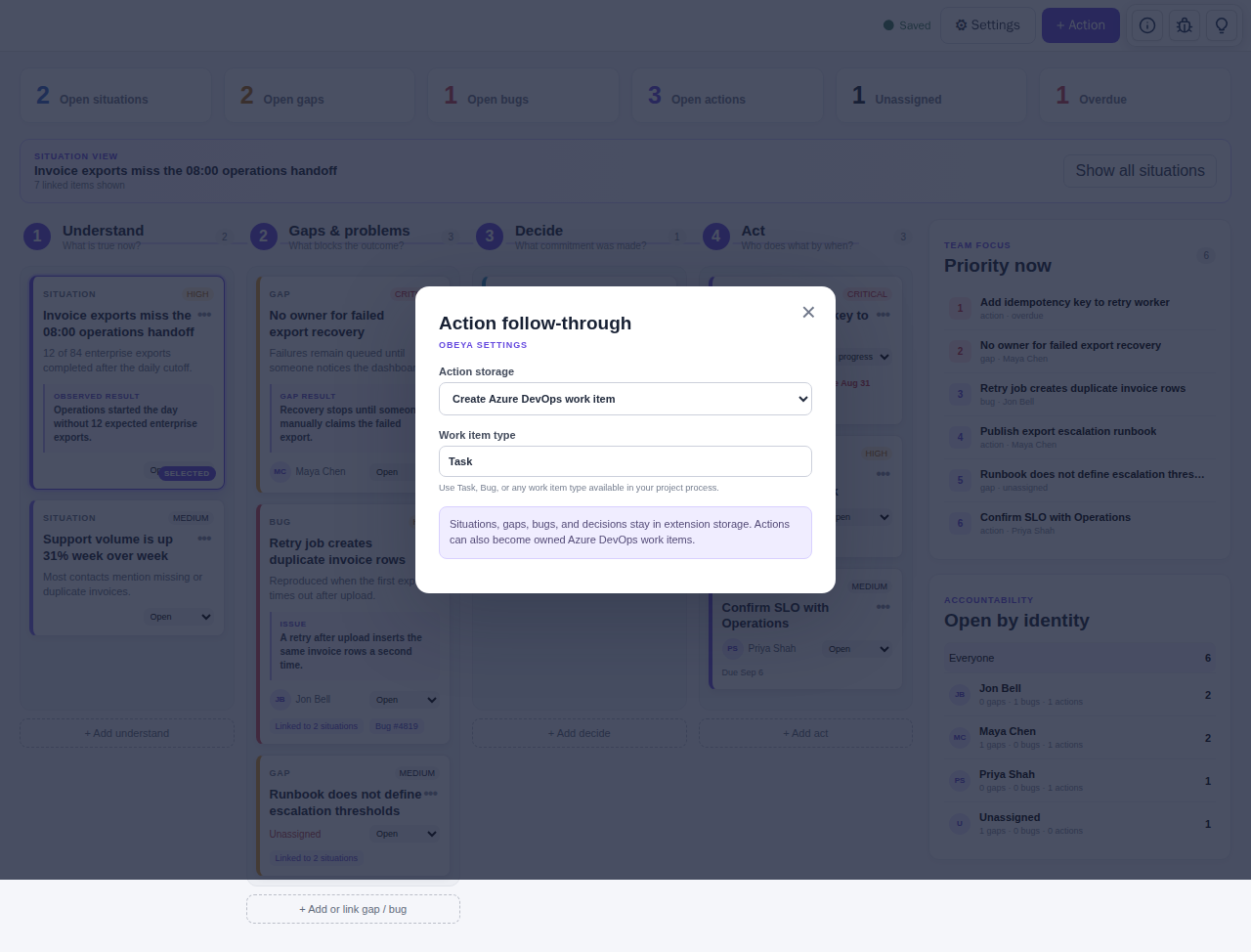
See the current situation, gaps, bugs, decisions, and actions together with live counts and a prioritized team focus list.
Make bugs, gaps, decisions, owners, priorities, and due dates visible without forcing the team into a new Azure DevOps hierarchy.


App 06
Review completed work grouped by feature, switch between Cards, Markdown, HTML, plain text, and JSON, then copy or download the release notes.
Keep release communication connected to the work itself. Generate, review, and publish notes as one small final chunk—not someone’s full-time reporting job.
Supporting tools for Azure DevOps
Our original six products connect the end-to-end process, from planning and estimation to delivery and release communication. These tools support everyday work alongside that process.

Make work-item descriptions easier to write and read. Use rich HTML formatting, colors, highlights, and table controls, or switch to standard Markdown with a matching toolbar.
Supports clear descriptions, acceptance criteria, and other rich-text fields.
Explore Better Editor
Build Chart.js work-item charts from WIQL conditions on Azure DevOps dashboards. Give each card its own filters, grouping, chart type and daily trend.
Use Monitor-style query settings in a focused dashboard frame.
Explore Dashboards
Use team cadence and unfinished work to choose a realistic sprint commitment.
Private Testing preview. Public availability is not announced.
Explore Commit
Find explicit blockers and work item records that have gone quiet across teams.
Private Testing preview. Public availability is not announced.
Explore Blocker Radar
Build work-item filters with familiar fields and operators, preview matching results, and copy or save the WIQL Azure DevOps will run—without drafting query syntax from scratch.
Supports shared queries and backlog triage on Azure DevOps Boards.
Explore Filter
Download the complete Smaller Chunks wallpaper collection for desktop monitors and phones, including product editions and professional corporate designs.
Available in multiple landscape and portrait resolutions.
Explore WallpapersHow we think
We build around the way teams actually work: shared context, visible tradeoffs, and less time spent managing the tool itself.
Important information stays visible, understandable, and close to the decision it supports.
Tools belong inside the systems teams already use—not in another disconnected destination.
Interactions stay purposeful so teams can spend their energy on planning and delivery.
Before you install
Delivery Plans supports dates, work-item changes, dependencies, and rollups. Plan focuses on milestone hierarchy and requested, estimated, and actual dates. Compare the views.
An Azure DevOps organization administrator approves installation and any paid Marketplace purchase. Existing Azure DevOps permissions still govern access.
No. Temporary free launch access does not create a paid order. We will give at least 30 days' notice before it ends. Paid use requires a separate approved purchase.
Microsoft Marketplace handles billing, cancellation, and refunds according to the accepted purchase terms. See pricing.
Built with intent